
Self-hosted · Docker Compose · Apache-2.0

One web interface for the data sources you work with

Browse what is in them, query and edit them, move data between them, watch them, and hand routine work to an AI agent that uses the same connections you do.

DataPlayer runs on your own machine or server. Credentials are encrypted at rest and never leave the backend.

docker compose -f compose.setup.yml run --rm setup
docker compose up -d --build
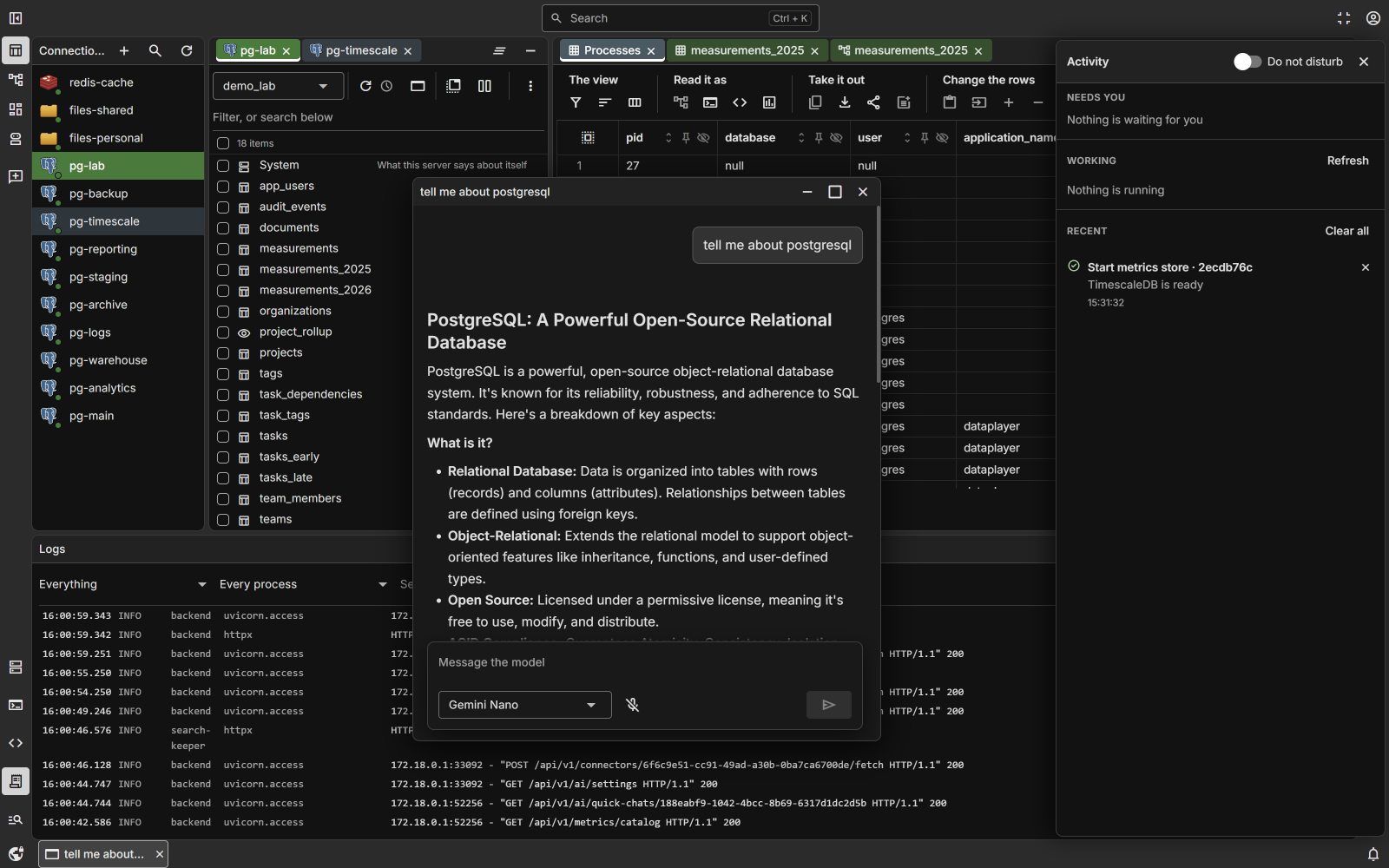
The DataPlayer workspace: connections, a catalog, tabs of rows, a quick chat answered by Gemini Nano in the browser, the server's log and the activity panel

Connects to

  • PostgreSQL
  • TimescaleDB
  • Redis
  • Files
  • SSH servers

What it does

One workspace for the whole job: connect, look, change, move, schedule and ask.

Sources

PostgreSQL including TimescaleDB — hypertables, chunks, policies and continuous aggregates. Redis key spaces as a tree, every value type read as rows. Files on the server, and SSH servers with a file explorer and a terminal in the browser.

A connection is added through a form generated from the source's own schema, or by pasting a connection string, and is checked before it is saved.
Working with data

  • A catalog per connection, with filtering and search by name.
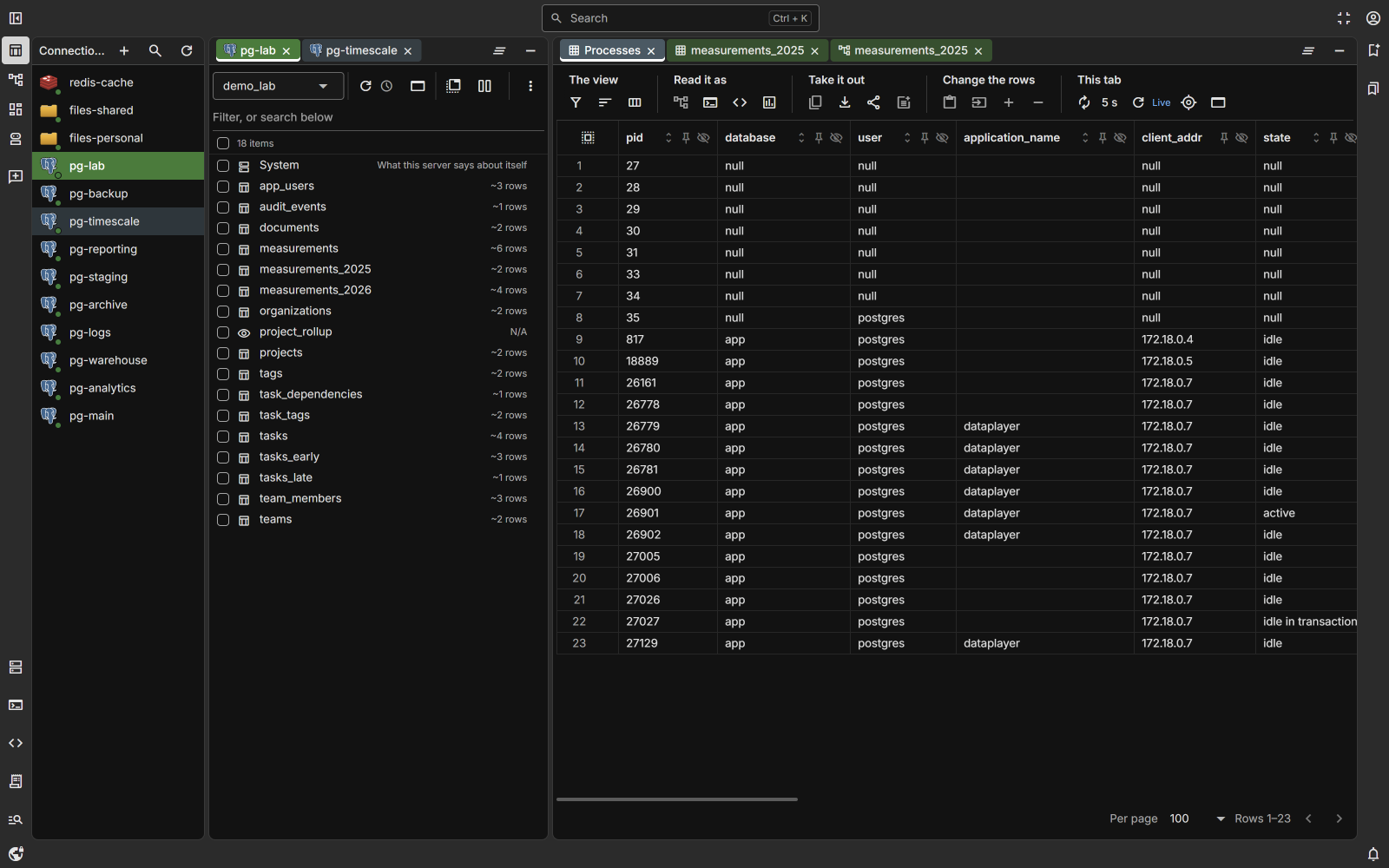
  • A grid with sorting, filters, inline editing, inserts, deletes and charts.
  • A SQL editor with history, saved documents, Explain and transactions.
  • A table designer for columns, indexes and constraints — every change shown as the statement first.
  • References drawn by hand, even across connections, and diagrams in 2D and 3D.
  • Copying rows and whole tables between connections, and loading files in.

Running things

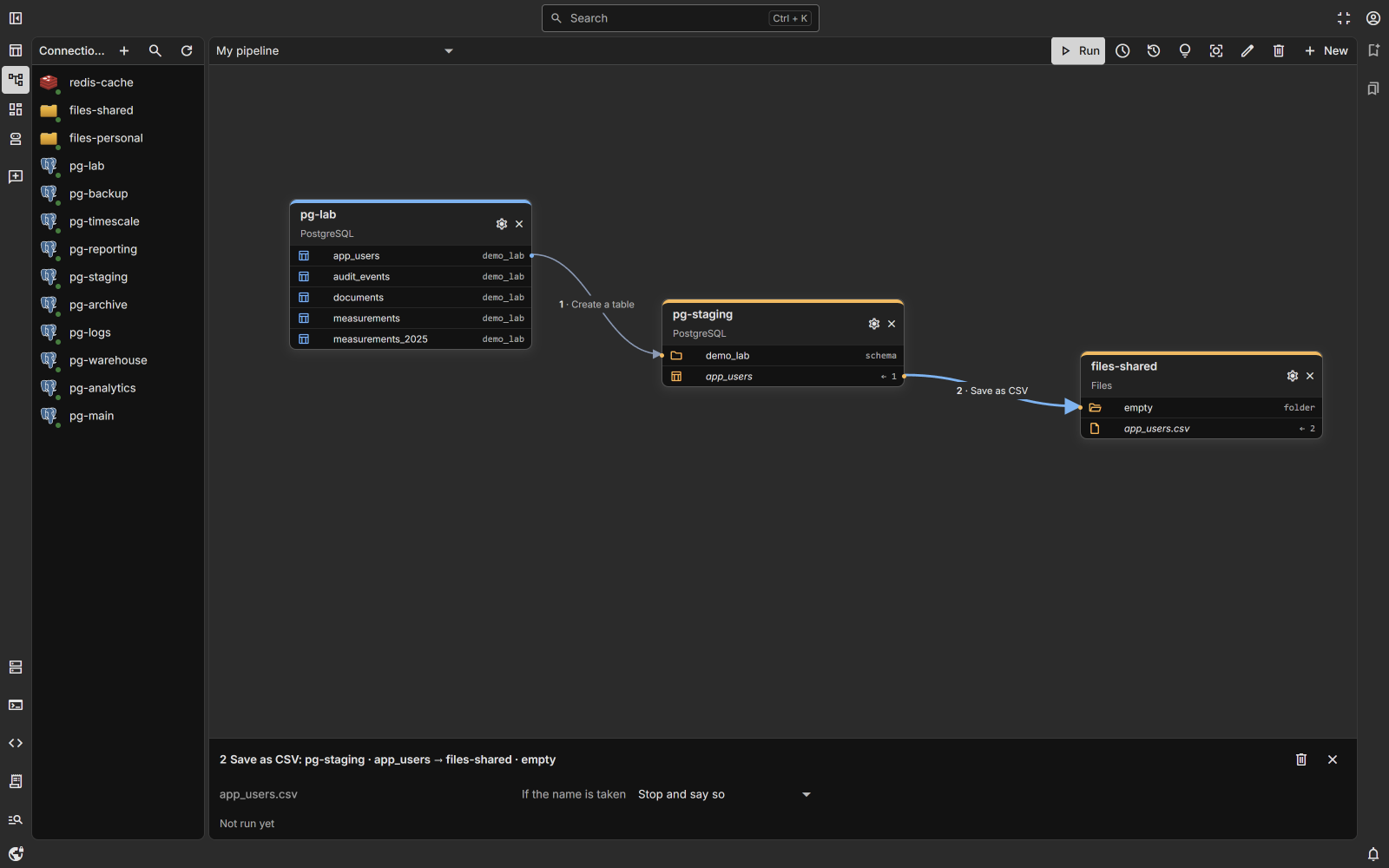
  • Pipelines of steps between connections, on demand or on a schedule, with run history.
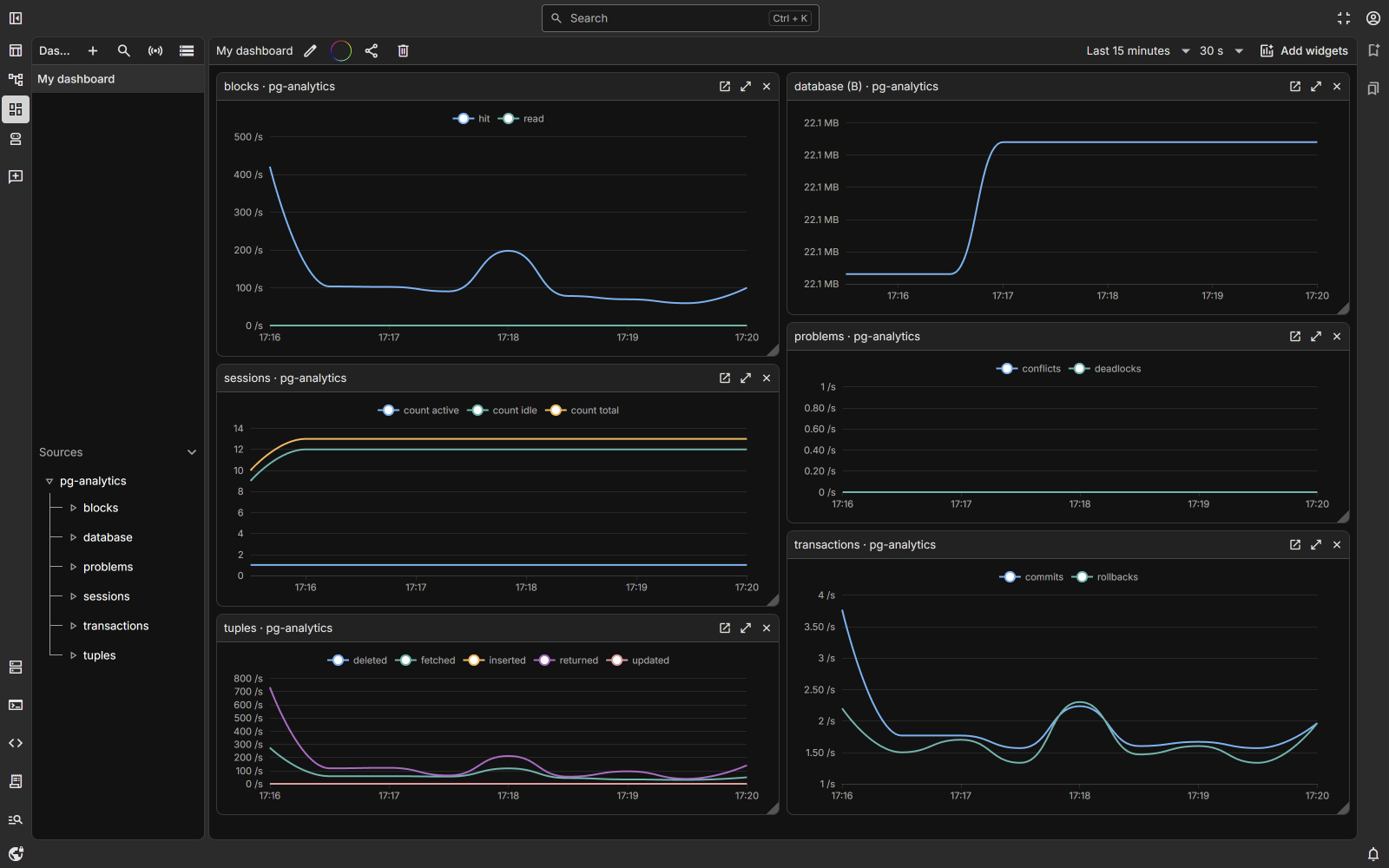
  • Dashboards fed by connection polls and a small metrics agent on your machines.
  • Managed services: start a database or cache in a container from a template, then back up and restore.
  • Share links to a tab, with access requests.

AI agent

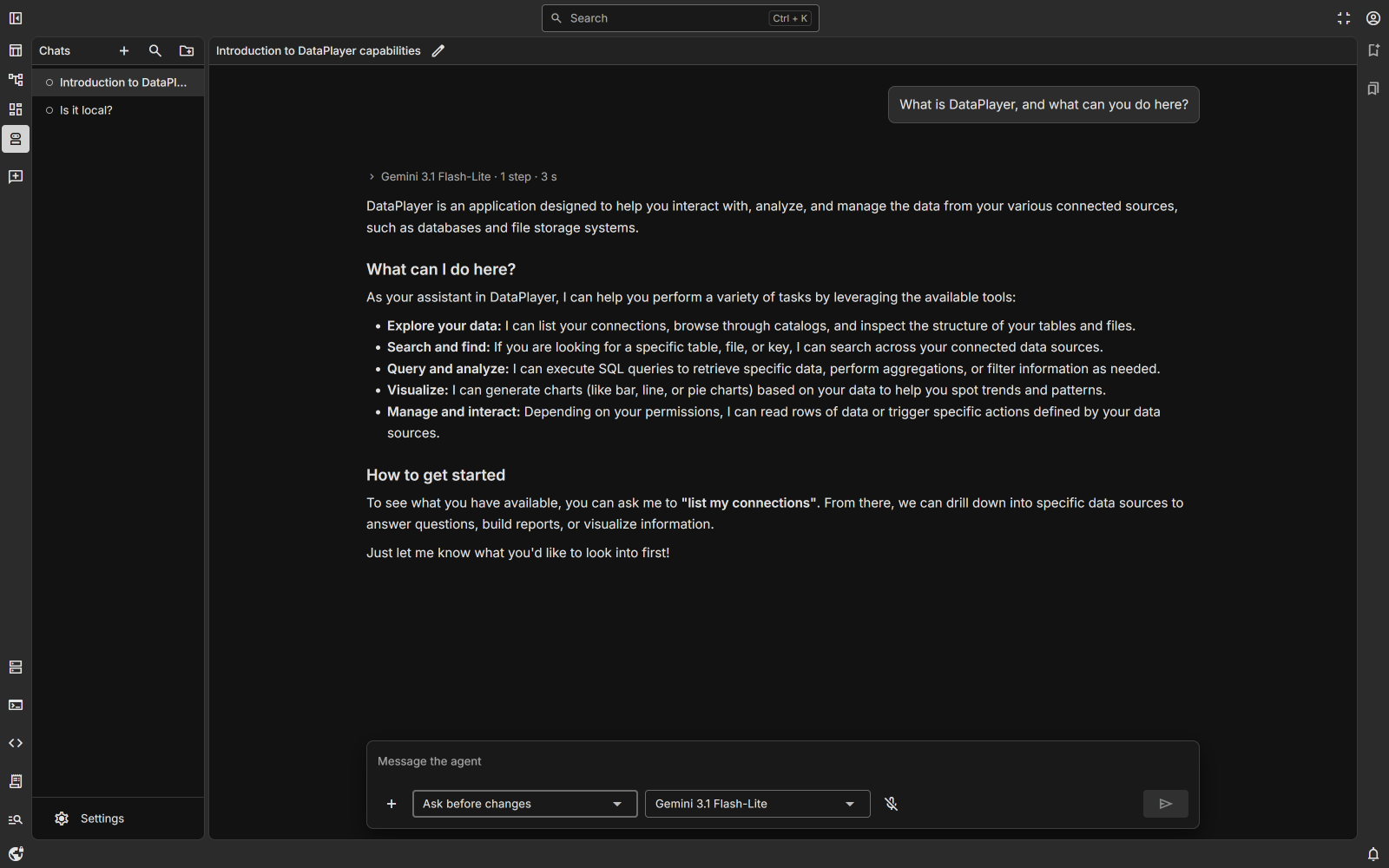
A chat that can list, read and change your sources through tools, asking before every change by default. Works with several model providers; you bring your own API key.

Everywhere: one search over connections, their contents and everything the application keeps (Ctrl+K), a workspace of draggable panels and tabs, floating windows, and light and dark themes.

A look at the workspace

A catalog and a grid, pipelines between connections, dashboards, and the agent.

A connection's catalog beside a live grid of rows
Data A catalog per connection and a grid of rows.
A pipeline: a table copied between PostgreSQL connections, then saved as CSV
Pipelines Steps between connections, run as one.
A dashboard of PostgreSQL metrics
Dashboards Metrics from connection polls and agents.
A conversation with the AI agent
AI agent Works through the same connections you do.

Watch it happen

Short clips of the flows you will use most. They play only when you press play.

Work with a table
A pipeline between connections
A dashboard of live metrics
Ask the AI agent

Stack

Plain, current and mostly one thing per job.

Layer Technology
Backend Python 3.14, FastAPI, SQLModel over async SQLAlchemy, PostgreSQL, Alembic
Frontend Vue 3, TypeScript, Quasar, Vite, TanStack Query, Pinia
API client Generated from OpenAPI, so types run end to end
Tests pytest, Vitest, Playwright

Get started

All it needs is Docker. From the repository root:

1

Set it up

It asks a few questions — what for, which preset, the superuser's email and password — and writes .env. Every secret is generated; one already in .env is never replaced.

docker compose -f compose.setup.yml run --rm setup
2

Start it

Starts what .env now names, and so does every later docker compose command. Then open the address the setup printed and sign in as the superuser.

docker compose up -d --build

Runs on your own machine or server

Self-hosted, encrypted at rest, Apache-2.0 licensed.